Posted By TeckWrap Craft On October 27, 2023

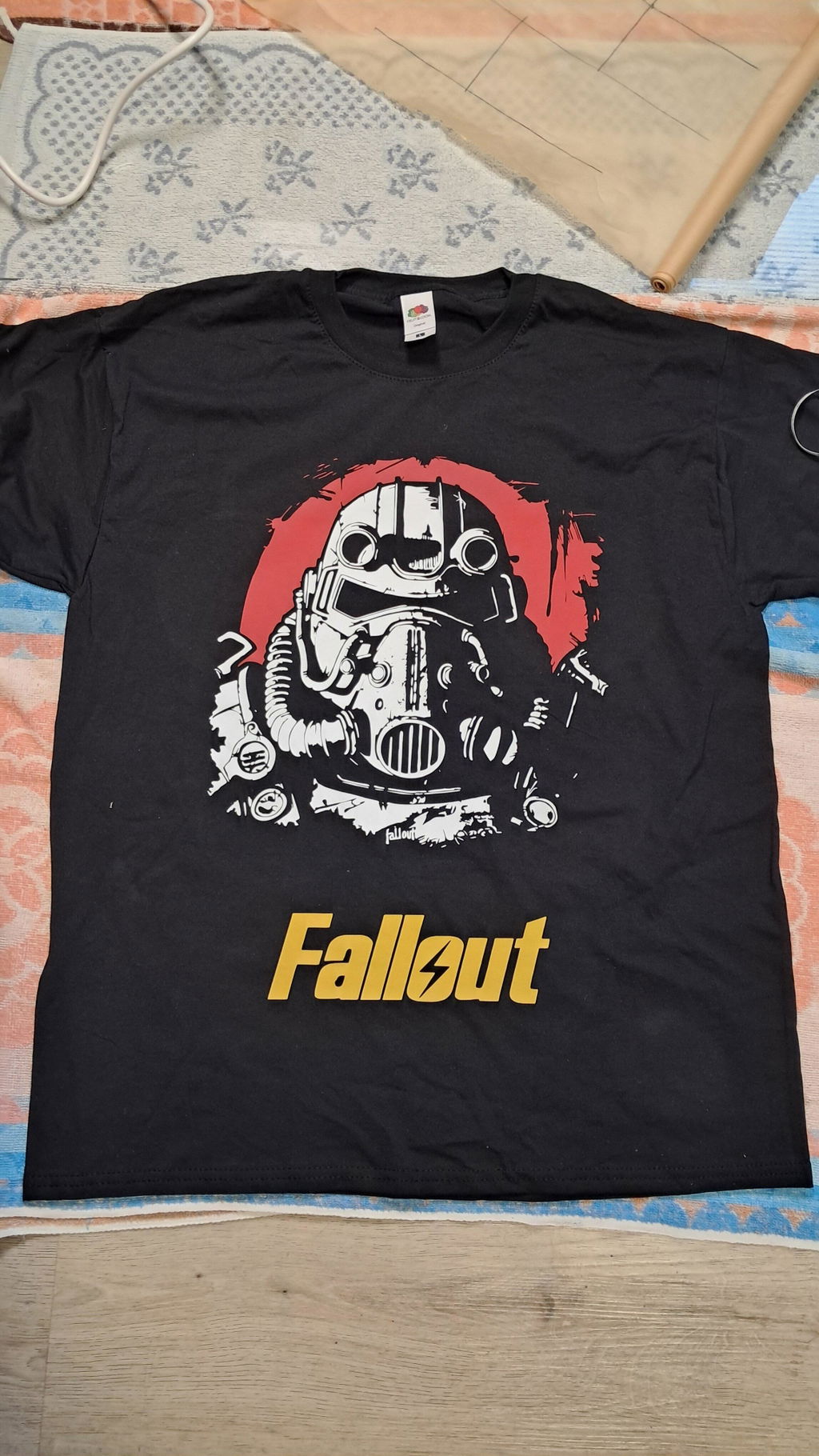
Sure, printing with one color of vinyl sounds easy peasy. But what about layering multiple vinyl colors to create a well-detailed shirt design? It’s possible and you can do it!
At first, creating multiple layers of vinyl to print on a shirt may sound intimidating. But with practice, patience, and precision, you will become an expert in creating more of such masterpieces.
In this step-by-step guide, you will learn how to layer vinyl on a shirt like a pro. Learn how to set up the design with multiple colors, cut, weed, layer, and iron directly to a shirt or any garment for that matter. Yes, you can print on a shirt, canvas bag, pillowcase, and other garments using vinyl.
What Kind Of Vinyl Do You Need To Use?
For t-shirt or garment printing, only heat transfer vinyl is used. That’s the first thing you need to take note of. There are two kinds of vinyl — adhesive and heat transfer vinyl (HTV).
What projects can you make with heat transfer vinyl other than t-shirt printing? You can print HTV designs on pillowcases, canvas tote bags, aprons, and more.
You can even use HTV to print on mugs, wood signs, and tumblers. However, in this article, the main focus will be printing layered vinyl on a t-shirt.
Materials Needed
Following is the list of all the materials or accessories needed:
- A cutting machine like Silhouette or Cricut.
- Heat press machine, EasyPress, or a household iron.
- A substrate of choice (T-shirt or canvas bag).
- Premium quality heat transfer vinyl from TeckWrap Craft.
-
Cutting mat.
-
Weeding tool.
- Lint roller.
- Parchment paper or Teflon sheet.

Step-By-Step Guide On How To Layer Iron-On Vinyl On A Shirt Or Any Fabric
Before anything else, here’s what you need to know about layering vinyl on a shirt. Special vinyl should be used as the top layer only. Regular vinyl must be the base layer. Why hide the beauty of special vinyl at the bottom?
What are special vinyls? Glitter, holographic, foil, flock, rainbow stripes, opal, galaxy, and anything with a special design or product feature. Also, do not forget to mirror the image on the software before cutting the vinyl.
Step 1: Pick Your Design
The first step is to choose the design you want to print on the shirt. You can look for free SVG cut files or use the ones available in Cricut Design Space. Once you’ve established the design you want, you can choose the vinyl colors you can use.

Step 2: Cut And Weed Vinyl
Since heat transfer vinyl is cut in reverse, you need to place it on the cutting mat with the shiny side (right side) facing down. Make sure to align it with the left-hand corner of the grid on the mat. This helps in accurate placement and flawless cutting of the design.
When it’s ready, press the load button and allow the machine to cut. Load each vinyl color one by one until all layers are done. Set them aside and prepare to weed the vinyl.
To remove negative vinyl from your design up to the most intricate detail, use a high-quality weeder, tweezer, or weeding pen. These will make the process faster and more accurate.

Step 3: Apply Vinyl Design With A Heat Press
Now it’s time to take out your EasyPress or prepare your heat press machine. But hold on, can you use a household iron to print vinyl on a t-shirt? Yes, you can.
How To Press The Vinyl Layer By Layer?
- Set the temperature of the heat press machine to 305°F.
- Pre-press the shirt for 5-10 seconds with light pressure so the moisture wicks out.
- Place the bottom layer of your HTV design on the shirt and put parchment paper on top.
- Press it for 5 to 8 seconds since it is the base layer.
- Set the heat press machine to medium pressure to ensure the vinyl sticks well.
- Let the vinyl cool for two minutes before removing the carrier sheet.
- Align the second layer over the pressed vinyl on the shirt.
- Repeat the process and press for 5 seconds.
- Repeat the whole process until you’re finished pressing all the layers.
How To Layer Vinyl On A Hat With An Iron?
Layering vinyl design on a hat may seem to be a difficult job due to its complex shape, but it is not so. You can personalize your hat with your favorite HTV colors and a household iron.
Using an iron for this project might be a bit tricky but doable. Make sure your iron is dry or its steam function is off. Set it to the maximum temperature on a sturdy table that will not move when you apply pressure. Do not use an ironing board as it is not steady. Here’s how you should go about it:

Measure The Area
To get the perfect proportionate placement, you will have to measure the area of your hat where you want the design to be so that you can set its dimensions accordingly.
Finalize The Design
Load your design on the software that is compatible with your cutting machine. If you have Cricut, you will be working on Design Space, and Silhouette owners will use Silhouette Studio. Set the dimensions of your design according to the measurements you have taken. Select the colors of the vinyl that you will be using.
Cut And Weed The Design
Once you have finalized the design, it is time to cut it. Cut each layer separately and weed out the extra vinyl from your design. Stack all the pieces together to see if they align perfectly and form the design exactly as you visualized initially. Once all is set, you can apply the vinyl.
Apply The Design
Place the base layer of the design on the cap where you want it to be. Put parchment paper or a Teflon sheet on top and press for about 5 to 8 seconds applying pressure. Now remove the carrier sheet from the vinyl very slowly. If the design comes along, press for a little more time but don’t overdo it. Repeat the process with the subsequent layers. Your hat with a layered HTV design is ready to flaunt.
HTV Layering Hacks
In order to get a flawless job done more efficiently, there are always some clever tactics that can be employed. Here are a few hacks to make layering heat transfer vinyl easier:
-
Ensure Alignment of Your Design: Fold the fabric and crease the middle to make sure the design is centered. Put a slight crease down the middle of your design. Use the creases to center the design layers on the substrate.
-
Removing Bulkiness When Layering Vinyl: When vinyl is layered one on top of the other, it looks bulky. Make the base layer outline to remove this effect. Cut and weed the second layer, which would otherwise be on top.
This way the design will give the effect of layering without the bulky look and feel. This hack also allows each layer to adhere directly to the fabric, making your design long-lasting.
-
Cut the Carrier Sheet Close to the Design: Trim close to the design after it has been cut to remove it from the rest of the HTV sheet. This will prevent the wastage of material. Cutting close to the design will also make placing different layers easy. Sometimes the base layer gets carrier impression marks from the top one. This will not happen if this hack is used.
-
Less Press Time: If you press the design for long, the layer underneath might get over-pressed and lose its tack. For example, if you are making the design with three layers and pressing each layer for 15 seconds, the base layer will get 45 seconds of heat which is too much. You will have to manage the press time. A short press time for each layer, say 5 to 10 seconds, is ideal.
Frequently Asked Questions
Q. Can you layer heat transfer vinyl on top of each other all at once?
No, you cannot layer different heat transfer vinyl films on your shirt all at once otherwise the carriers will adhere to each other. You will have to apply heat to each layer one by one.
Q. What temperature does my heat press need to be for vinyl?
315°F. To get the best output of vinyl, you will need a higher temperature than polyester. Apply strong pressure for 10-15 seconds to get a vivid and perfect design. In fact, preheating fabric before pressing decals will make the design better.
Q. How long do vinyl shirts last?
Under normal use, the design should last more than five years. Do not dry clean the garment.
The Takeaway
Layering vinyl on a shirt is such a fun way to personalize your design and be creative. It makes your creations even more unique and the possibilities endless! Just follow these techniques and start creating your fun designs!