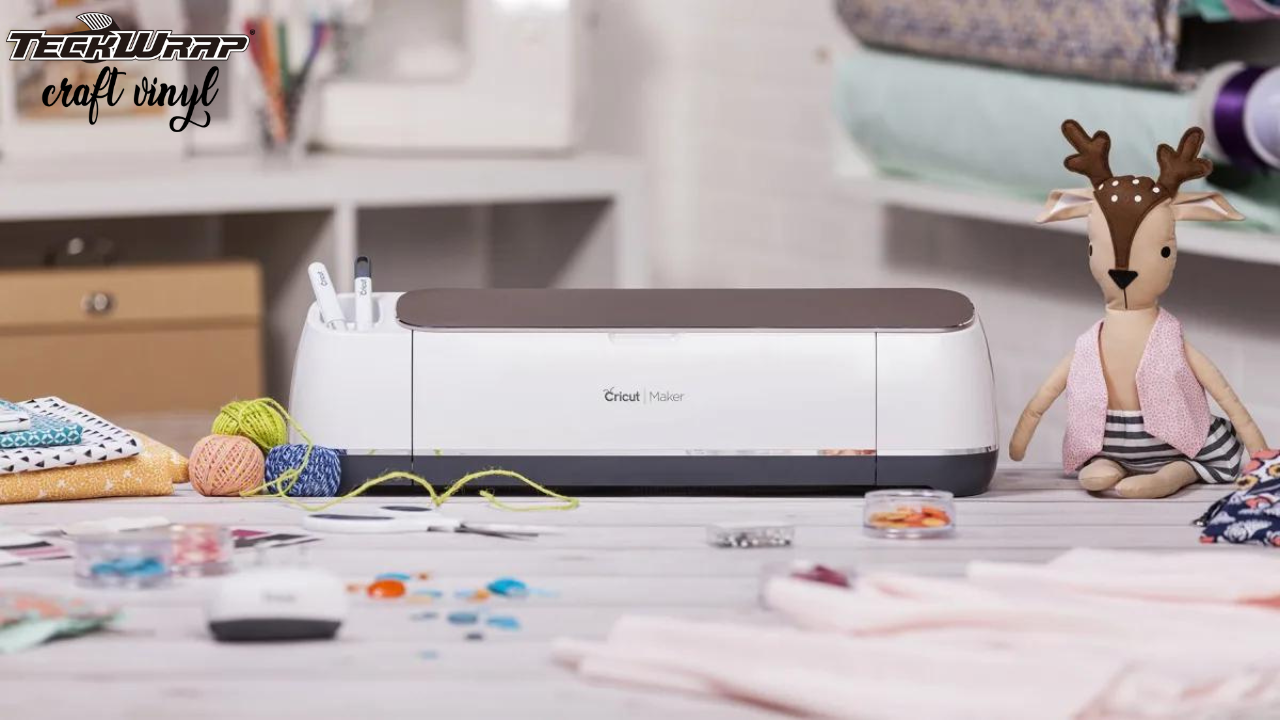
For most people making vinyl stickers, the Cricut Explore Air 3 is the best choice. It cuts all standard adhesive vinyl and Smart Vinyl, has 2x cutting speed, connects wirelessly, and handles the full size range most sticker makers need. The Cricut Maker is better if you work with heavier materials beyond vinyl. Cricut Joy is the right choice for small, portable, and quick sticker projects.
Cricut makes several cutting machines and each handles vinyl stickers differently. The machine you choose affects the cutting width, whether you need a cutting mat, which vinyl types you can use, and whether you can do Print Then Cut. This guide covers the three main Cricut models, compares them in a table, explains which vinyl works best with each, and includes a step-by-step guide to making stickers.
Use this table to compare the three main Cricut models before reading the full breakdown below.
Feature
Explore Air 3
Maker / Maker 3
Cricut Joy
Cutting width
12 inches
12 inches
4.5 inches
Mat-free cutting
Yes (Smart Vinyl)
No (Maker) / Yes (Maker 3)
Yes (Smart Vinyl)
Print Then Cut
Yes
Yes
No
Adaptive Tool System
No
Yes
No
Compatible materials
100+ including all vinyl
300+ including thick and fabric
Limited range, vinyl only
Best for sticker makers
Standard and large sticker projects
Complex projects, mixed materials
Small portable sticker projects
Price range
Mid-range
Higher
Lower
Cricut Explore Air 3
Cricut Explore Air 3: Best Overall for Vinyl Stickers
The Cricut Explore Air 3 is the most practical choice for vinyl sticker making. It cuts vinyl, cardstock, leather, and fabric with accuracy. The built-in sharp blade handles standard adhesive vinyl, Smart Vinyl, and printable sticker vinyl well.
The machine runs at 2x cutting speed compared to the previous Explore Air 2, which means more stickers in less time for small business owners and high-volume crafters. It connects wirelessly to phones and computers, which frees up the workspace.
The Explore Air 3 supports mat-free cutting when using Cricut Smart Vinyl. TeckWrap Craft Smart Vinyl is compatible with this feature. For standard adhesive vinyl, a standard grip cutting mat (green) is required. The machine does not have the Adaptive Tool System found in the Maker series, but this is not a limitation for vinyl work since vinyl cutting does not require adaptive tools.
What Explore Air 3 Does Well
Cuts all types of TeckWrap Craft adhesive vinyl and Smart Vinyl with no adjustment needed
Supports Print Then Cut for printable sticker vinyl from an inkjet printer
2x speed setting for faster output on repeat sticker orders
Wireless connection through Bluetooth works with phone, tablet, and computer
Full access to Design Space library including free and paid sticker designs
Limitations
Does not have the Adaptive Tool System, so thick fabric cutting and scoring are more limited
Not as portable as Cricut Joy
Cricut Maker
Cricut Maker: Best for Mixed-Material Crafters
The Cricut Maker is the most versatile Cricut machine available. It includes the Adaptive Tool System, which allows a wider range of tools including a rotary blade, knife blade, scoring wheel, and engraving tip. This makes it the right choice for crafters who work with many different materials alongside vinyl.
For vinyl stickers specifically, the Maker cuts all the same vinyl types as the Explore Air 3. The cutting width is the same at 12 inches and Print Then Cut is supported. For most sticker-only use cases, the Maker does not offer a significant advantage over the Explore Air 3 for vinyl work, but the higher price is justified if you regularly use other materials like thick fabric, balsa wood, or leather.
The Cricut Maker 3 (the updated version) adds mat-free cutting for Smart Materials. If you plan to use mat-free Smart Vinyl cutting, the Maker 3 is the version to choose over the original Maker.
What the Maker Does Well
Handles over 300 materials including thick vinyl, leather, fabric, balsa wood, and acrylic
Adaptive Tool System supports engraving, scoring, and rotary cutting
Same 12-inch cutting width as Explore Air 3
Best choice for a mixed-media craft studio
Limitations
Higher price than Explore Air 3, not justified for vinyl sticker-only use
Original Maker does not support matless Smart Vinyl cutting (Maker 3 does)
Cricut Joy
Cricut Joy: Best for Small and Portable Projects
Cricut Joy is the smallest and most portable Cricut machine. It is a compact cutting machine designed for quick and easy crafting. Joy uses Smart Vinyl without a cutting mat and can cut up to 20 feet of material in a single continuous cut.
The cutting width is 4.5 inches, which limits the maximum sticker size. Cricut Joy does not support the Print Then Cut feature, so printable sticker vinyl projects are not possible on Joy. For small stickers, labels, and simple designs that do not need print-first functionality, Joy is a practical and affordable starting point.
What Cricut Joy Does Well
Compact and portable, fits in a small bag
Mat-free cutting with Smart Vinyl for continuous long rolls
Lower price makes it a good entry-level choice
Cuts up to 20 feet of Smart Vinyl in one run, useful for repeat sticker labels
Limitations
4.5-inch cutting width limits sticker size
Does not support Print Then Cut. Cannot do printable sticker vinyl with a printer first
Not suitable for large or complex sticker projects
Which Cricut Should You Choose?
The right Cricut depends on your sticker size, whether you need Print Then Cut, and your budget.
Choose Explore Air 3
You make standard or large vinyl stickers
You want Print Then Cut for printable sticker vinyl
You want matless cutting with Smart Vinyl
You are a beginner who wants the most versatile affordable machine
You run a small sticker business with regular orders
Choose Cricut Maker
You work with thick fabric, balsa wood, or leather alongside vinyl
You need the Adaptive Tool System for scoring, engraving, or rotary cutting
You want the most capable machine and budget is not a concern
You are building a mixed-media craft studio
Choose Cricut Joy
You make small stickers under 4.5 inches wide
Portability is important to you
You do not need Print Then Cut functionality
You are a beginner who wants a low-cost entry point with no mat required
What to Look for in a Cricut When Making Vinyl Stickers
These are the five features that matter most specifically for vinyl sticker work.
Cutting width. A 12-inch cutting width allows for larger sticker sheets and more designs per cut. Cricut Joy's 4.5-inch width limits what you can make in one pass.
Print Then Cut support. If you plan to print designs from a home inkjet printer and then cut around them precisely, you need a machine that supports Print Then Cut. Explore Air 3 and Maker both support this. Cricut Joy does not.
Mat-free cutting. If you plan to use TeckWrap Craft Smart Vinyl for continuous long cuts without loading a mat each time, choose the Explore Air 3 or Cricut Joy. The original Cricut Maker does not support matless cutting.
Design Space compatibility. All Cricut machines connect to Design Space, Cricut's free design software. You can upload SVG files, use built-in designs, or create original designs. Every model in the Cricut range works with the same software.
Blade and material range. For vinyl only, all Cricut machines use a fine-point blade which handles standard adhesive vinyl, Smart Vinyl, and printable sticker vinyl. The Maker's Adaptive Tool System is only relevant if you cut other materials beyond vinyl.
How to Make Vinyl Stickers Using Cricut
The process is the same across Explore Air 3, Maker, and Joy. The main difference is whether you use a cutting mat or Smart Vinyl for mat-free cutting.
Design your sticker. Open Design Space on your device. Import an SVG file, create a design from scratch, or choose from the Design Space library. Set the dimensions for the sticker size you want.
Select the cut type. In Design Space, choose between kiss cut and die cut. A kiss cut cuts only through the vinyl layer, leaving the backing sheet intact. A die cut cuts through both layers, producing individually separated sticker pieces.
Print if needed. If using printable sticker vinyl, print the design first using an inkjet printer before loading the sheet into the Cricut. Only Explore Air 3 and Maker support Print Then Cut. Send to print from Design Space, then load the printed sheet onto the cutting mat.
Load the vinyl and cut. For standard adhesive vinyl, place the vinyl coloured-side-up on a standard grip green cutting mat. For Smart Vinyl on Explore Air 3 or Joy, load directly into the machine without a mat. Select the correct material setting in Design Space (Premium Vinyl for standard, Smart Permanent Vinyl for Smart Vinyl). Press Go.
Weed the excess vinyl. Once cutting is complete, press the flashing arrow button to release the mat. Use a weeder, tweezers, or a weeding pen to remove the excess vinyl. Start from the upper corner and pull the extra vinyl down and away from the cut stickers slowly.
Apply transfer tape. Cut a piece of transfer tape larger than the sticker design. Peel the backing and place the adhesive side over the sticker design. Press firmly with a squeegee. TeckWrap Craft grid transfer tape helps with alignment.
Transfer to the surface. Remove the sticker backing. Position the transfer tape with the sticker onto the target surface. Press firmly with a squeegee working from the center outward. Make sure the surface is clean and dry. Peel the transfer tape slowly at a low angle, leaving the sticker on the surface.
Kiss Cut vs Die Cut Stickers on Cricut
Both cut types are available in Design Space on all Cricut models except Cricut Joy.
Kiss Cut Stickers
The Cricut cuts only through the vinyl top layer, leaving the backing sheet intact. The sticker sheet stays together as one piece. Individual stickers can be peeled off the backing as needed. This is the standard method for sticker sheets.
Die Cut Stickers
The Cricut cuts through both the vinyl layer and the backing sheet, creating individual stickers with no shared backing. Each sticker is a completely separate piece. Die cut stickers are common for individually packaged sticker products.
Best Vinyl for Cricut Stickers
All TeckWrap Craft adhesive vinyl works with Cricut machines. These are the four main types suited to sticker making.
Vinyl Type
Compatible Models
Best For
Mat Required?
Smart Vinyl (TeckWrap)
Explore Air 3, Maker 3, Joy
Long matless cuts, continuous sticker rolls
No (matless)
Adhesive Craft Vinyl
All Cricut models
Standard stickers on any smooth surface
Yes (standard grip)
Printable Sticker Vinyl
Explore Air 3, Maker only
Full-colour photo stickers from inkjet printer
Yes (standard grip)
Specialty Vinyl (glitter, holographic)
All Cricut models
Premium finish stickers and decorative decals
Yes (standard grip)
TeckWrap Craft adhesive vinyl is compatible with all Cricut models. Smart Vinyl works with Explore Air 3, Maker 3, and Cricut Joy for mat-free cutting. All adhesive craft vinyl, glitter, holographic, and specialty finishes use the standard grip green cutting mat. See the TeckWrap Craft cut settings guide for exact Design Space settings by machine and vinyl type.
Frequently Asked Questions
For beginners, the Cricut Explore Air 3 is the best starting point. It is less expensive than the Maker, more capable than the Joy, handles all types of TeckWrap Craft adhesive vinyl, and supports Print Then Cut for printable sticker projects. It cuts on both a mat and mat-free with Smart Vinyl.
Yes. Cricut Joy cuts adhesive vinyl and Smart Vinyl to make stickers. The cutting width is 4.5 inches, which limits sticker size. Cricut Joy does not support Print Then Cut, so you cannot print a design first and then cut around it. For simple stickers and labels, Joy is a compact and affordable option.
Yes. The Cricut Explore Air 3 supports Print Then Cut with printable sticker vinyl. Print the design using a home inkjet printer, load the printed sheet onto the cutting mat, and the Explore Air 3 cuts precisely around the design using registration marks. TeckWrap Craft printable sticker vinyl is compatible with this process.
Kiss cut stickers are cut only through the vinyl layer, leaving the backing sheet intact. Individual stickers can be peeled off the sheet as needed. Die cut stickers are cut through both the vinyl and the backing, producing individual separate sticker pieces. Both are available in Design Space on Explore Air 3 and Maker. Cricut Joy does not support die cut through the backing.
No. Smart Vinyl is designed for mat-free cutting on Cricut Explore Air 3, Cricut Maker 3, and Cricut Joy. The vinyl is fed directly into the machine without a mat. For all other standard adhesive vinyl, a standard grip green cutting mat is required.
Cricut Explore Air 3 and Cricut Maker both support Print Then Cut. Cricut Joy does not support this feature. Print Then Cut lets you print a full-colour design with a home inkjet printer and then have the Cricut cut precisely around the design outline.
For standard vinyl stickers, TeckWrap Craft adhesive craft vinyl in matte, glossy, holographic, or glitter finishes works on all Cricut models with a standard grip mat. For long mat-free sticker rolls, TeckWrap Craft Smart Vinyl works with Explore Air 3, Maker 3, and Joy. For full-colour printed stickers, TeckWrap Craft printable sticker vinyl works with Explore Air 3 and Maker.
Yes, but only when using Smart Vinyl. TeckWrap Craft Smart Vinyl is designed for mat-free cutting on Cricut Explore Air 3, Cricut Maker 3, and Cricut Joy. For all other vinyl types, a cutting mat is required. The standard grip green mat works for most adhesive vinyl.
Wrapping Up
For most vinyl sticker makers, the Cricut Explore Air 3 is the right choice. It handles all types of TeckWrap Craft adhesive vinyl, supports Print Then Cut for printable sticker vinyl, cuts matless with Smart Vinyl, and runs at 2x speed. The Cricut Maker is worth the higher cost if you work with a wide range of materials beyond vinyl. Cricut Joy is the compact, portable option for small sticker projects.
All TeckWrap Craft adhesive vinyl, Smart Vinyl, and printable sticker vinyl are compatible with all Cricut models. Choose the vinyl type based on the sticker finish and cut method you need.
Shop TeckWrap Craft vinyl for all Cricut machines.
I love the quality of tech wrap. It cuts in weeds so nicely I got the bundle so I could have a little bit of all the different colors. It’s a great great product although when I did get my kit, they didn’t put my weed pen and my slap bracelets. I didn’t get those little extras. They forgot to put it in my package and I also got the other tech wrap bundle, which is the shiny iridescent bubble free bundle that comes with the weeding pen slap bracelets in the hanger so you can put all your rolls inside the hanger hanging on the back of your door. I did get that stuff in my bundle. I would definitely recommend tech wrap. It’s a great quality and priced decently.
First and last time I tried this. I followed instructions, watched videos and it still did not work. It would not come off the transfer mask and totally ruined the print and the garment so now I have to buy a new one